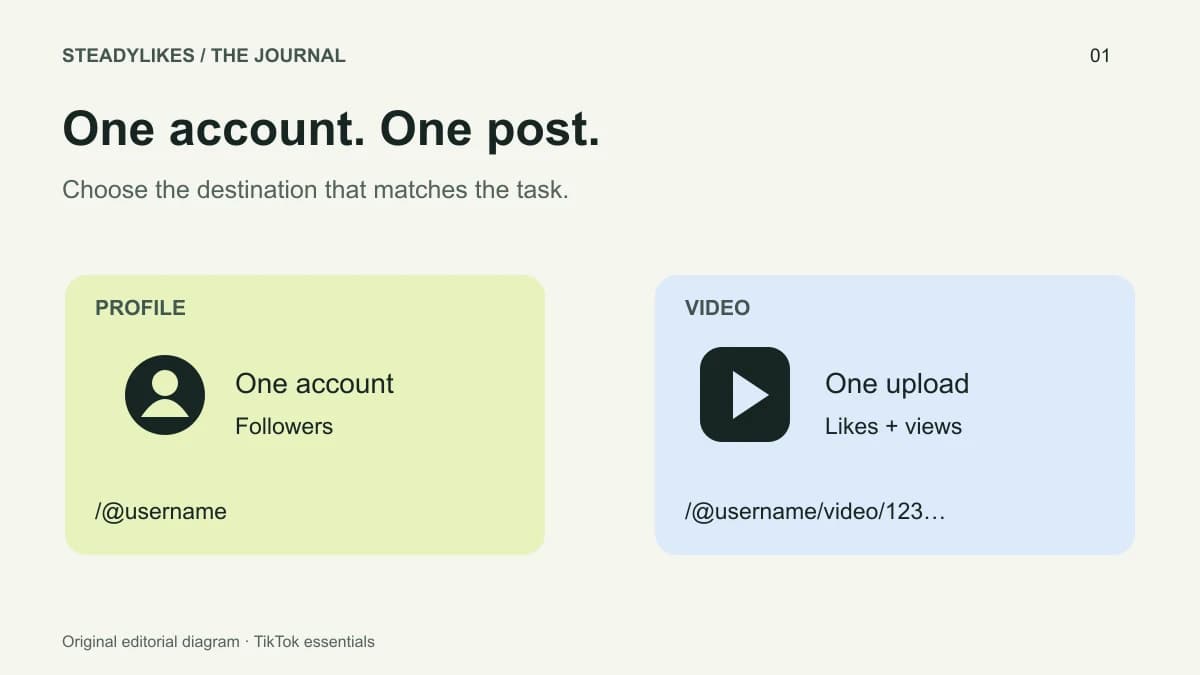
A TikTok profile link identifies an account. A TikTok video link identifies one post on that account. Use a profile link when the destination is the account itself, and a video link when the destination is a particular upload. Checking that distinction before sharing a link or selecting a service prevents a small copying mistake from becoming the wrong selection.
This guide explains both formats, how to check a copied link and what to keep in your order notes. The examples are illustrative; the usernames and video numbers are not recommendations or customer accounts.
Profile links and video links at a glance
| Link type | What it opens | Illustrative format | SteadyLikes selection |
|---|---|---|---|
| Profile | One creator's account | https://www.tiktok.com/@examplecreator | Followers |
| Video | One individual upload | https://www.tiktok.com/@examplecreator/video/1234567890 | Likes or views |
The important part is the destination, not how long the copied text looks. A short share link can redirect to a longer address. A profile may contain many videos, but that does not turn its profile URL into a link for every post. Equally, a video page may show the creator's name without being the creator's profile page.
How to get the right profile link
Open the intended account in TikTok and check its @username. Use the profile's sharing option to copy its link, or open the profile in a browser and copy the address. Button names and locations can vary across app versions, so use the destination check below if your screen looks different.
Paste the link into a browser before using it elsewhere. It should open the account you intended, with the expected username and profile content. If the account belongs to a client or a second project, compare it against your saved brief rather than relying on the display name. Two accounts can have similar names and photographs.
For SteadyLikes, enter the full HTTPS profile address containing the @username. A display name, screenshot, email address or bare handle is not the same input as a profile link. The TikTok followers page keeps the profile field beside the package selection so you can review both together.
How to get a link for one TikTok video
Open the exact video, use its sharing controls and copy the link. Then open that link in a browser. Confirm the footage, account and post match your intended destination. If you have several versions of a clip, check the visible content rather than assuming the latest upload is the one you copied.
The full video address usually contains the account name followed by /video/ and a numeric identifier. Keep that identifier intact. Removing the video part changes what the link identifies; it does not create a shorter version of the same video destination.
For a video-specific selection, compare TikTok likes packages or TikTok views packages. Both use an individual video URL. Selecting followers does not distribute a follower package across the videos on a profile, and selecting views does not apply that quantity to every upload.
What to do with a short share link
If your copied link uses a short TikTok address, open it first and copy the full destination from the browser after the redirect finishes. SteadyLikes currently accepts full tiktok.com profile and video URLs, not every shortened sharing format. That validation is a form requirement, not a claim that TikTok's own short links are invalid.
If the browser opens a sign-in prompt instead of the destination, return to TikTok and check the post or profile directly. Confirm its visibility and copy again. Avoid guessing a numeric video ID or manually editing someone else's link to make it resemble the expected format.
A two-account example
Imagine you run a ceramics studio and also maintain a personal teaching profile. Your studio has a new mug demonstration, while the teaching account has a pottery lesson with a similar cover. Write two separate notes: the studio video URL beside its chosen video service, and the teaching profile URL beside its account-level selection.
Before adding either item to your bag, read the @username aloud or compare it character by character with the note. After adding it, check the service, quantity, destination and total price again. This takes less effort than reconstructing the intended destination from a collection of screenshots later.
Keep your link records current
TikTok distinguishes the display nickname from the username that forms part of a profile link. Its username guidance also explains that changing the username changes the profile link. If you rename an account, revisit saved links and any unfinished selections.
Keep your order reference, original destination and selected quantity together. For an existing order, use private order tracking. If you need help, the contact page explains what to send. Your password and private order access code should not be included in a public message or shared as part of a link.
Frequently asked questions
Can I use my TikTok display name instead of a link?
No. A display name does not uniquely specify the profile or video required by the form. Copy and check the full destination URL.
Can one video link be used for both likes and views?
The same individual video can be the destination for separate likes and views selections. Review each package independently; they are different services.
Does the profile link select all of my videos?
No. A profile link identifies the account. Choose the individual video URL for a post-specific package.
What should I check immediately before continuing?
Check the username, the exact video if relevant, the service type, package quantity and full price. Keep the original link with your order reference so you can identify the same selection later.