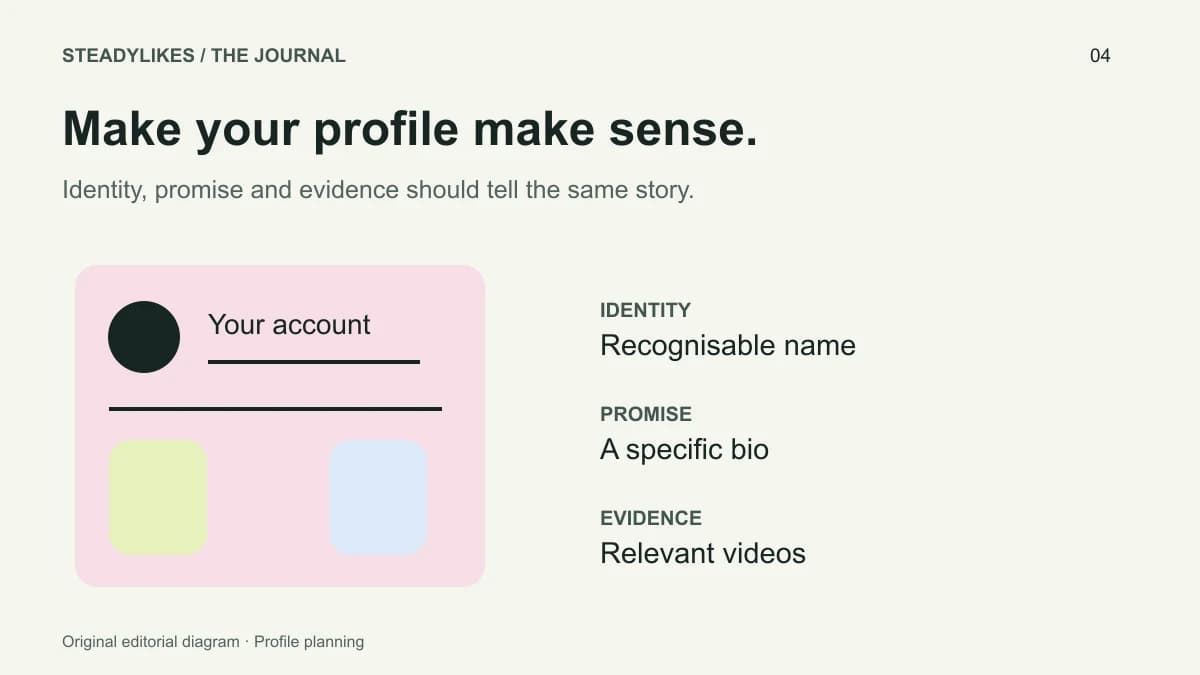
A clear TikTok profile tells a new visitor what the account covers, who the content is useful for and what they can explore next. Start with a recognisable identity and a specific description of the work. Then check whether the videos visible on the profile support that description.
You do not need to fit an entire business history into a short bio. The aim is a useful introduction, not a list of every topic you might eventually post about. This checklist works for a maker, a local business, an educator or a personal creative project.
Decide what the account is for
Write a longer private sentence before trying to write the public bio: “This account helps beginner ceramicists understand the small decisions involved in making everyday tableware.” That gives you a subject, an audience and a useful perspective.
Now shorten it without losing the subject. An illustrative bio could be, “Everyday pottery, explained one studio decision at a time.” It is specific enough to match future videos about handles, glazing and preparation. It does not claim awards, professional credentials or results that the account cannot demonstrate.
If the account covers several topics, look for a genuine connection between them. A personal portfolio may bring together design process and finished work. A business account may connect product demonstrations with care advice. If there is no shared purpose, avoid forcing one sentence to promise everything.
Check identity before decoration
Review the display name, @username and profile image together. A visitor should be able to recognise the same project across the profile and the videos. Decorative punctuation should not make the name difficult to read or copy.
Keep a note of where your profile link is used before changing a username. TikTok's username documentation explains that the username forms part of the profile URL and a change also changes that link. Review external references and saved selections after a rename.
The profile and video link guide shows how to verify the destination. This is particularly useful when the same person manages multiple accounts with similar display names.
Write a bio with a clear subject and useful expectation
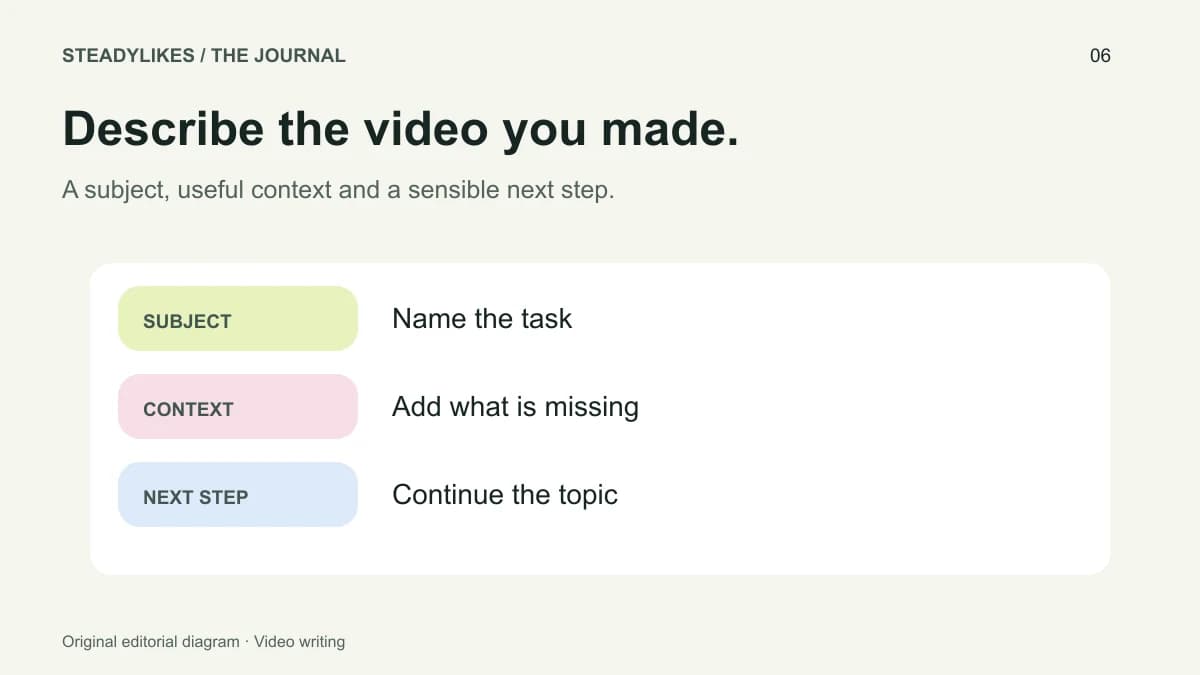
Try a simple structure: subject, perspective and what someone will find. For example, “Small-space cooking. Practical prep and one-pan meals.” This tells a visitor more than “Food lover sharing amazing content,” because it describes the actual focus.
Choose language that sounds like the videos. An informal studio diary and a technical tutorial library can both be clear without using the same voice. Read the bio next to three recent posts. If the connection is hard to explain, either the bio is too broad or the visible content needs a more coherent introduction.
Avoid using the bio as a storage area for unrelated search phrases. A visitor needs to read it as a sentence or a short set of meaningful statements. Repeating the subject in slightly different wording takes space away from useful information.
Make the visible videos fulfil the promise
Review the first collection of videos a visitor encounters. Does it demonstrate the topic you described? Can someone recognise an introduction, a useful explanation or a representative example of the work?
You can plan a small set of complementary posts: an introduction to the project, a practical demonstration and an answer to a common question. This is an editorial suggestion, not a requirement to post three videos at once. Use the arrangement options available to your account without making the whole introduction depend on a feature that you may not have.
Consistent cover wording can make the collection easier to navigate. Label one post “Handle alignment” and another “Cleaning the tool” rather than giving both a vague “Watch this” cover. The labels help identify the difference between the posts.
Give the next step a purpose
Decide what a visitor should do after understanding the account. They might watch a related tutorial, explore a series or contact the business through an available channel. Do not promise a website button or a particular profile feature unless it is actually available and configured on your account.
For service planning, remember that a TikTok follower selection uses the account's profile link. That selection is separate from the editorial work of making the profile understandable. Keep the account identity consistent while reviewing both.
A practical profile review
- Check the spelling and recognisability of the name and handle.
- State the topic in ordinary language.
- Explain what a viewer can expect from the account.
- Remove unsupported credentials or exaggerated outcome claims.
- Compare the bio with the visible videos.
- Check each available contact or destination link.
- Save a copy of the previous bio before making a substantial change.
After editing, view the profile again on your phone. Check line breaks and whether the meaning remains clear at a glance. If possible, ask someone unfamiliar with the project what they think the account covers. Their description can reveal ambiguity you no longer notice.
Frequently asked questions
Should my bio include every topic I publish about?
No. Describe the main promise of the account. Individual video captions can explain the narrower subject of each post.
Does adding keywords to a bio guarantee discovery?
No. Specific wording helps people understand the subject, but this checklist does not promise search placement or recommendation outcomes.
How often should I rewrite the bio?
Review it when the account's purpose, identity or available destination changes. Rewriting on a fixed schedule is less useful than correcting a real mismatch.