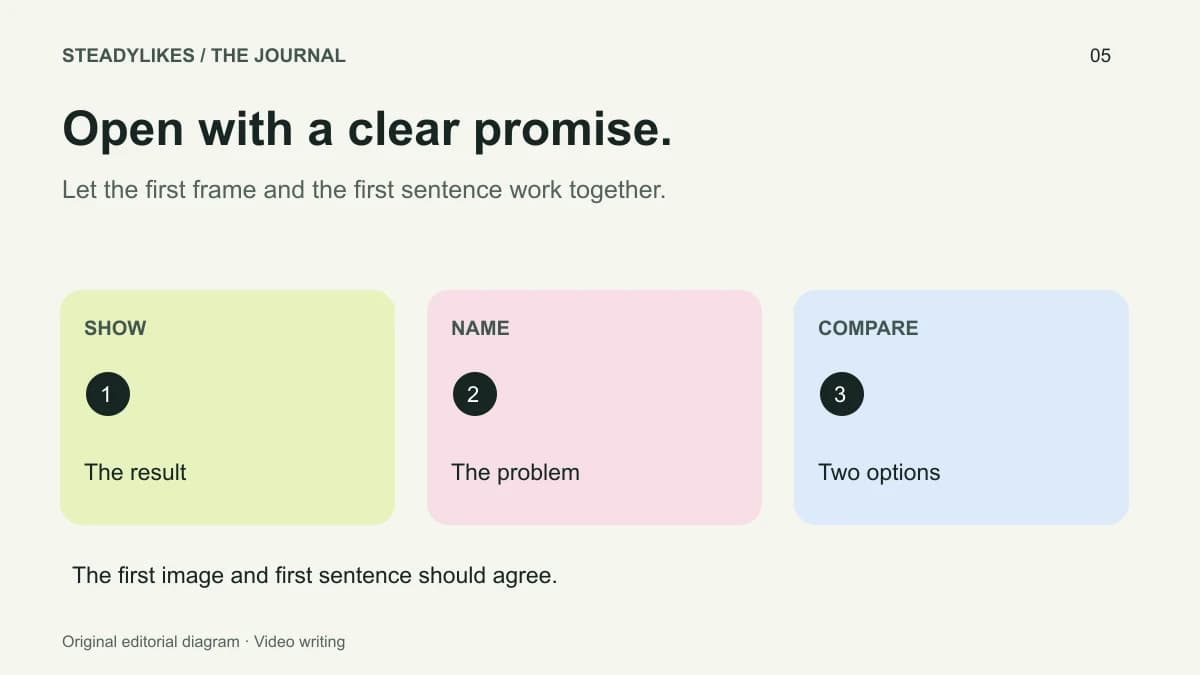
A TikTok video hook is the opening that helps a viewer recognise the subject and decide whether to keep watching. A useful hook makes a specific promise that the rest of the video fulfils. It can be a visual result, a direct question, a comparison or the start of a demonstration; it does not have to be an exaggerated spoken claim.
The examples below are original writing exercises. They are not tested performance results or guaranteed formulas. Use them to make the relationship between your opening and your actual footage clearer.
Start with what the video can honestly show
Before writing an opening line, identify the evidence you have. Do you have footage of two methods, a completed object, a sequence of steps or a real mistake you can explain? Choose a hook that matches that material.
If your video only demonstrates how you arrange a desk, “The only desk setup anyone needs” promises more than the footage can support. “How I keep my drawing tools within reach on a small desk” describes the actual demonstration and its context. Specificity gives the viewer a better basis for deciding whether the post is relevant.
Use the posting checklist to confirm that the promised result is still present after editing. An opening written before the final cut may need to change when footage is removed.
Five opening patterns with examples
Show the result, then explain the process
Example: “This is the folded edge we are making. Here is the first crease.” Show the finished detail immediately, then move to the starting material. The result gives the following steps a visible destination.
This pattern suits a practical demonstration where the finished state is easy to recognise. Avoid hiding a necessary intermediate step merely to reach the result sooner. The opening should create orientation, not remove the explanation.
Name a specific problem
Example: “If your mug handle looks tilted, check these two attachment points.” Show the points as you name them. The problem becomes concrete because the viewer can see what the sentence refers to.
A vague version would be, “You are doing this wrong.” That offers no subject until the viewer watches further. Naming the task is generally a clearer editorial choice, especially when the account covers several kinds of work.
Compare two visible options
Example: “Same drawing, two crop choices. Here is what each one leaves out.” Put the two versions on screen and explain the difference you want the viewer to notice. Do not call one option universally best if the decision depends on the intended use.
This format is useful when your conclusion includes a trade-off. A close crop may show texture, while a wider crop may preserve context. The hook can invite a decision without pretending that one answer applies everywhere.
Begin with a bounded question
Example: “What should you pack first when taking this painting kit outside?” The question identifies the kit and the setting. The following sequence should answer it, ideally with the actual objects visible.
Make sure the question is small enough for the video. If answering it requires several unrelated explanations, narrow the subject or split the material into a series.
State the constraint
Example: “One shelf, five everyday tools: this is the order I use.” A constraint gives the demonstration a useful shape. It should be a real condition of the example, not an arbitrary number inserted because numbered hooks look familiar.
Coordinate the words and first shot
Write the opening line beside a description of the first frame. “A close-up of the two attachment marks” is a better planning note than “interesting footage.” Then check whether the words refer to something the viewer can already see.
If the line describes a finished result but the frame shows a closed box, decide whether that delay serves the story. Sometimes a reveal is the point; sometimes it merely withholds information the viewer needs. Make the choice deliberately.
Review the opening without sound as well. A short, readable title can identify the topic, while subtitles carry the spoken explanation. Keep important text away from the action and preview it with the app interface visible.
Compare revisions without inventing certainty
Save the original line and your revision in a simple note. Describe what changed: a specific noun replaced a vague phrase, the result became visible earlier, or an unnecessary introduction was removed. This is more informative than labelling a version “stronger” without explaining why.
If you publish different versions, they will not necessarily reach the same audience under the same conditions. Record publication times, topics and any service or promotional activity. The guide to likes, views and followers explains why a single count cannot establish the reason for a change.
When selecting a post-specific service, use the final upload's link. The TikTok likes page lets you keep the chosen video and quantity together. A package selection is not evidence that a particular hook caused later performance.
Frequently asked questions
Must I speak in the first frame?
No. A clear visual result or readable question can introduce the topic. Choose the format that suits the footage and the explanation.
Is there a guaranteed hook length?
No universal length is supplied here. The opening should identify the relevant subject without adding unnecessary delay.
Can I reuse an opening structure?
Yes. Reuse the structure while changing the actual question, evidence and conclusion. Repeating a vague promise across unrelated videos does not make the content more specific.